WFH Money

“Tips, advice, and real stories for making money from home.”

  • “Don’t Take It Personal”

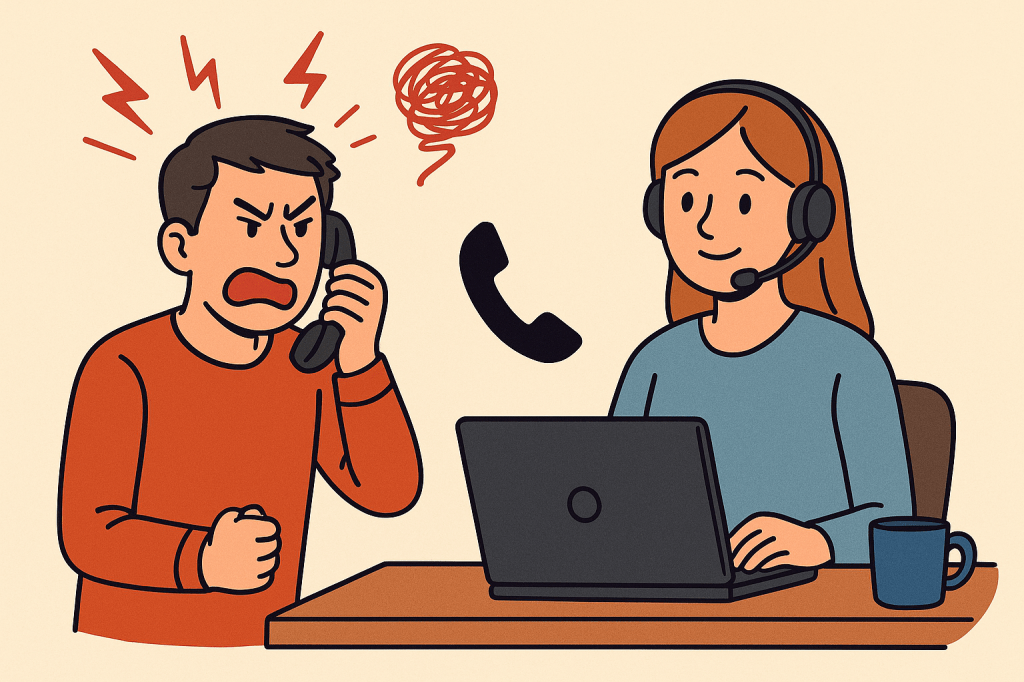
    Dealing with angry callers is just part of the job when you work in customer service. I learned that lesson during my very first week as a customer service representative in post-purchase support.

    A customer called in, upset that his package hadn’t arrived. After tracking it, I saw the bad news: it was delayed and wouldn’t show up until after Christmas. That was not what he wanted to hear.

    He was furious angry at the company, angry at the post office, and, in the heat of the moment, angry at me. He called me every name he could think of, as if I personally misplaced his gift. While I tried to calm him down, the tears were already welling up in my eyes. Before I lost it completely, I did the one thing you’re not supposed to do: I disconnected the call.

    I walked away, took my break, and managed to pull myself together. And you know what? That was the first and last time I ever let a caller break me down like that.


    Lessons Learned 💡

    Customer service is not for the faint of heart. If you don’t start out with thick skin, you’ll grow it within a few months on the job. The key is learning to protect your emotions while still showing empathy.

    Here’s my advice if you’re just starting out:

    • Don’t take it personal: The customer is angry at the situation, not you.
    • Stay calm: Your calm voice can defuse their frustration.
    • Apologize and acknowledge: A simple “I’m sorry you’re experiencing this” goes a long way.
    • Offer assurance: Let them know you’re doing your best to resolve the issue.
    • Set boundaries: If a caller crosses the line into verbal abuse, you have the right to give a polite warning: “I want to help you, but if the abusive language continues, I’ll need to end this call.”

    That way, you stay professional while still protecting yourself.


    Final Thoughts ✨

    The truth is, angry callers will come and go, but your composure and professionalism are what really matter. Think of each tough call as practice you’re building skills (and patience) that will serve you in every area of life.

    And remember:

    • You can mute your headset, roll your eyes, and sip your coffee ☕ while they rant.
    • You can smile to yourself and think, “This call will end, and I’ll still have a job and money in the bank.”
    • Most importantly, you can hang up knowing you handled it with grace.

    Customer service may toughen you up, but it also teaches you empathy, problem-solving, and how to keep your cool under pressure. And hey, sometimes you just have to laugh it off. After all, you can’t let a late package ruin your whole day.

    Noise-Canceling Headset 🎧Check it out on Amazonhttps://amzn.to/4gPMkDS


  • Setting Up Your Home Office for Success 🏡✨

    When you land a remote job, one of the first things you’ll hear about is the equipment you’ll need. Some companies ship everything straight to your door—computer, monitors, headset, and even a chair—while others expect you to supply your own. It really depends on the project you’re hired for.

    👉 Finance and banking projects usually provide company equipment for security reasons.
    👉 Customer service or tech support projects may require you to use your own computer—desktop or laptop—as long as it passes a speed test.


    Get Your Computer Ready ⚡

    • Clean it out: Uninstall programs you don’t need, clear up storage, and run updates so it’s performing at its best.
    • Speed test: Many companies require a certain download and upload speed before you can start. Check this early so there are no surprises.
    • Ethernet connection: Wi-Fi is nice, but most employers won’t allow it. A simple ethernet cable keeps your connection stable and professional.

    Essential Gear 🎧🖥️

    • Wired headset with mute button: A lifesaver if you have kids, pets, or a chatty spouse in the background.
    • Comfortable chair: Don’t underestimate this one! You’ll be sitting for hours, so invest in your back and neck.
    • Quiet, dedicated space: Even if it’s just a corner of your living room, keep it clean and distraction-free.

    Pro Tip 🌟

    Think of your home office as your mini command center. The more organized and comfortable it is, the smoother your workdays will go. A little prep now saves a lot of stress later.


    That’s it—you’re all set to start strong from home! The right setup isn’t about being fancy, it’s about being prepared. Once your office is ready, you can focus on what really matters: doing your best work.

    Ergonomic Office Chair 🪑See it herehttps://amzn.to/46yeIqw

    Noise-Canceling Headset 🎧Check it out on Amazonhttps://amzn.to/4gPMkDS
    HomeOfficeSetup #WorkFromHomeTips #RemoteWork #WFHJobs #WorkFromHomeLife #RemoteWorkEssentials #HomeOfficeChecklist #WFHComfort #ProductivityAtHome #WorkFromHomeSuccess

  • 🎉 You Did It! Landing Your First Work-From-Home Job

    Congratulations! You finally got that offer letter for the work-from-home job you’ve been dreaming about. I can just picture it: your hair’s a mess from jumping up and down, you’re grinning from ear to ear, and you can’t wait to tell everyone the amazing news.

    This is the beginning of something exciting—but before you get too cozy in your pajamas, let’s go over a few things that will help you start off on the right foot.


    📑 Save That Offer Letter

    I can’t stress this enough: save your offer letter in multiple places.

    • Print a hard copy.
    • Save a digital copy to your computer.
    • Back it up to cloud storage if you can.

    Like they say, it’s better to be safe than sorry. You’ll want it handy for reference in case there are any mix-ups down the road.


    🖥️ Training Time: Be Present and Prepared

    Training isn’t just a formality—it’s your lifeline.

    👉 Show up every day. Even one missed session can leave you scrambling later.
    👉 Take neat, detailed notes. (No rushed chicken scratch—you’ll thank yourself later.)
    👉 Review daily. Spend a little time each evening studying your notes so the information sticks.

    And here’s a heads-up: sometimes trainers are brand-new too. You might feel like a guinea pig in the beginning. Don’t let that discourage you. Pay close attention, stay focused, and you’ll still walk away with the knowledge you need.


    🙋 Don’t Be Afraid to Ask Questions

    If something doesn’t make sense—speak up! Training is the perfect time to ask for clarification.

    Remember: once training is over, you’ll be expected to perform with confidence. It’s better to ask now than struggle later.


    🚀 Step Into Your New Chapter

    Working from home comes with freedom, flexibility, and opportunities to shine. Even if training doesn’t go exactly how you pictured, you can still step into your new role with confidence because you showed up, took notes, asked questions, and did your part.

    So take a deep breath, pat yourself on the back, and get ready. This is the start of your fabulous new work-from-home journey. 🌟


    Noise-Canceling Headset 🎧Check it out on Amazonhttps://amzn.to/4gPMkDS
    Big Coffee Mug ☕Grab one herehttps://amzn.to/42kD3hb

    work from home, remote jobs, customer service jobs, training tips, new job, work from home advice, home office life, remote work success, offer letter, online jobs

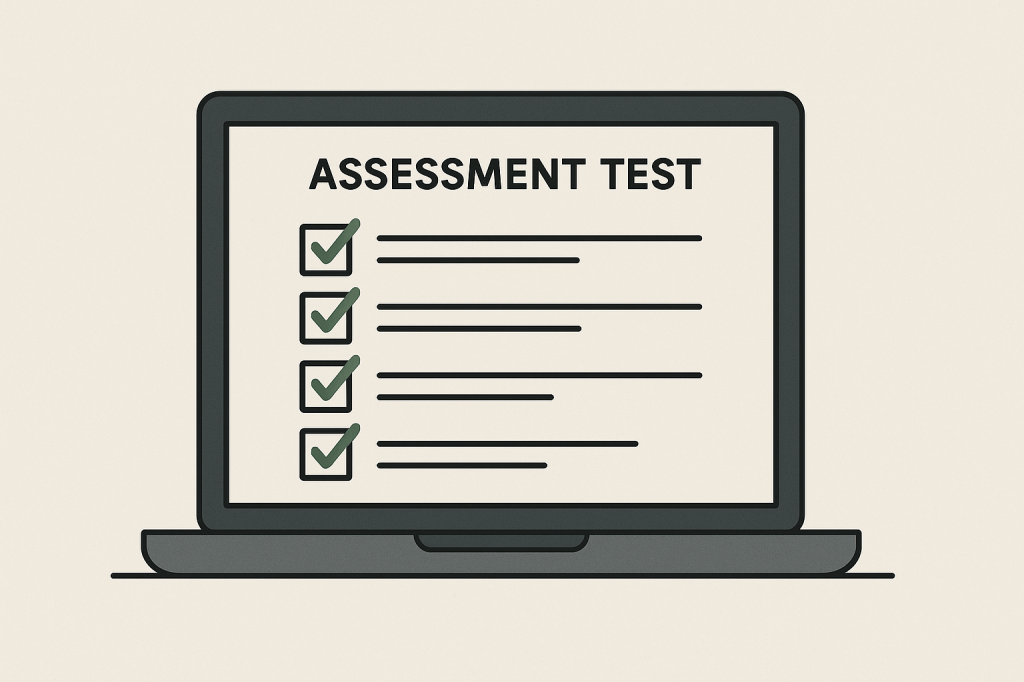
  • 📝 Passing the Work-From-Home Assessment Test

    So, you’ve applied for that shiny new work-from-home job, and now they’ve sent you an assessment test. Don’t panic—this isn’t meant to scare you off. It’s your chance to shine and show you’re ready for remote work success.


    🎯 What Companies Are Looking For

    Most companies aren’t expecting you to be perfect. They want to see if you can:

    • Follow directions
    • Think logically under pressure
    • Communicate clearly
    • Handle customer scenarios with professionalism

    📚 Practice Makes Perfect

    👉 If the test has math (percentages, word problems, or logic puzzles), practice a few ahead of time.
    👉 If it’s customer service scenarios, brush up on things like:

    • Angry callers 😡
    • Long hold times ⏳
    • Missing orders 📦
      (Hint: stay calm, be professional, and focus on solutions.)
      👉 Time yourself—many assessments are timed, so pacing is just as important as accuracy.

    💻 Set Up for Success

    Your environment matters just as much as your answers.

    • Make sure your computer and internet are reliable.
    • Sit in a quiet, distraction-free space.
    • Close extra tabs, silence notifications, and have everything ready before you begin.

    🗣️ Stay Calm, Stay Confident

    Some questions are designed to test your patience more than your knowledge.

    • Read carefully.
    • Don’t overthink.
    • Trust your instincts if you’re unsure.

    Remember, they want to see how you think, not just what you know.


    🌟 After the Test

    Once you hit submit—celebrate 🎉. Even if you didn’t feel perfect, showing consistency and professionalism will move you forward in the hiring process. And before you know it, you might be jumping up and down with that offer letter in your hands.


    “Sit or stand — this desk keeps up with your work-from-home grind 💻☕.” find it here on amazon!https://amzn.to/3KmuIU2

    #WorkFromHome #RemoteJobs #AssessmentTest #WFHSuccess

  • The Good, the Bad, and the Ugly of Working From Home

    I absolutely love waking up, having my coffee, and going straight into my home office to clock in. No commute. No rushing around. No worries if I’m still in my pajamas and my hair is a mess — the most important thing is that I’m comfortable, caffeinated, and ready to support my callers.

    But let’s be honest: working from home isn’t all sunshine and slippers. There are good parts, bad parts, and yes… some ugly truths you need to know if you’re just starting out.


    🌟 The Application Stage: Start Smart

    Before you even land the job, take a step back and really think about what you can and can’t do.

    👉 Don’t promise weekends if you can’t work weekends. It might seem like a good idea to just “get in the door” and figure it out later, but many remote projects won’t bend on schedules. You could end up stuck working hours that don’t fit your life — for the entire project.

    Being honest up front saves a lot of stress later.


    ⚠️ The Cold, Hard Truth About Remote Work

    Here’s something many people don’t tell you: in big work-from-home companies, the right hand doesn’t always know what the left hand is doing. With hundreds or even thousands of remote employees, things get mixed up. Policies get miscommunicated. And sometimes mistakes are made.

    That’s why you need to be your own best advocate.


    🗂️ My #1 Tip: Document Everything

    From the very beginning — your offer letter, your login details, your training materials — save everything.

    • Take screenshots or photos of anything important.
    • Keep confirmation numbers and shipping receipts when returning equipment.
    • Save emails, tickets, and even chat transcripts if they involve scheduling or HR.

    Why? Because one day the project might end, your login access will be cut off, and suddenly you won’t have proof of what you were told or what you did.

    And if there’s ever a dispute about your record or rehire status? Those saved documents could protect you.

    NOTE 🚫 Do Not Document Customer Information
    Always protect privacy and follow your company’s data policies.
    Never record or store customer credit card numbers, addresses, or personal account details.
    Focus on documenting your own work — training notes, call resolutions, performance goals, and lessons learned.


    🚫 The No-Rehire List: The Ugly Side

    Here’s the part nobody likes to talk about: work-at-home companies can put you on a no-rehire list.

    Sometimes it’s temporary, sometimes it’s permanent. And yes, even if you’ve done nothing wrong, mistakes happen. Without proof to defend yourself, you could lose opportunities with that company forever.

    That’s why saving your docs is so important. Think of it as building your insurance policy for your remote career.


    ✅ Why It’s Still Worth It

    Even with the hiccups, the frustrations, and the risks, I believe working from home can be one of the best ways to earn a living or make side money.

    • You save time, gas, and stress.
    • You can build flexibility into your life.
    • And for many of us, it’s a lifeline to financial freedom.

    So here’s my closing advice:

    ✨ Be honest from the start.
    ✨ Stay organized and save your documents.
    ✨ Protect your future opportunities.
    ✨ And most importantly — enjoy the freedom that comes with working from home.

    Because at the end of the day, it’s not just about the job. It’s about building a life that works for you.

    💡 Read the full guide → ✨Document Everything: eBook✨

    Filed under: work from home, remote jobs, customer service tips, rehire eligibility, document everything, work from home advice

    __________________

    Disclaimer: The information in this post is for educational purposes only and reflects general best practices for remote work documentation. Always follow your employer’s data security and confidentiality policies when handling customer information.